
Read your signals in Claude or ChatGPT
Connect dist0 to Claude or ChatGPT and ask about your buyer pains, briefs, and posts in plain language — no copy-paste, no export.
Last updated July 18, 2026
Connect dist0 to a web AI chat — Claude.ai or ChatGPT — and ask it about your signals the way you'd ask a teammate. "What are people complaining about this week?" "Summarize the top buyer pain." The chat reads your dist0 data live and answers from it. Nothing to export, nothing to paste.
What you can ask
Once connected, the chat can read:
- your buyer pains — the recurring problems dist0 finds on Reddit,
- your competitor mentions — the rival products people name on Reddit,
- your market briefs,
- the Reddit posts behind each pain,
- what dist0 knows about your project (project memory).
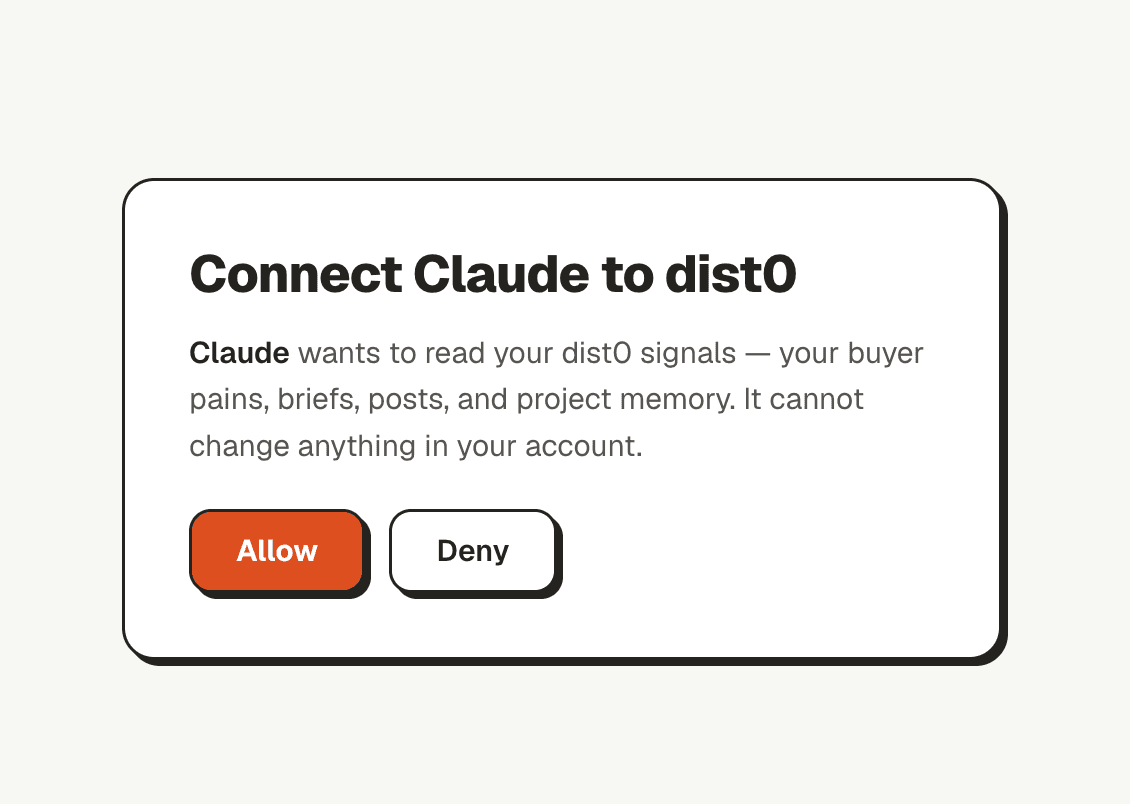
It reads only. It can't change your account or post anything.
Connect it
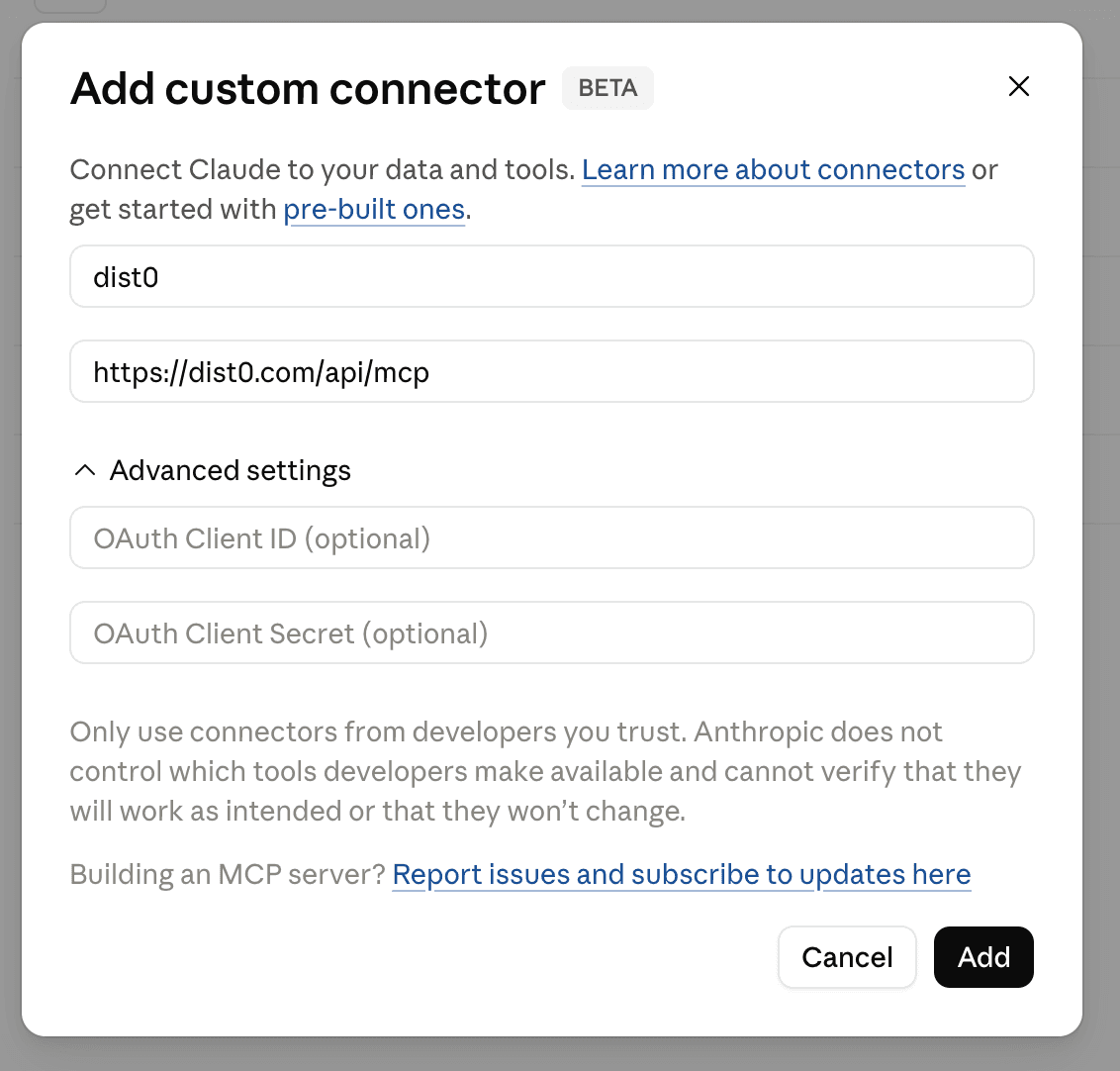
You add dist0 as a connector in your chat app's settings. The address to add:
https://dist0.com/api/mcp- In Claude.ai or ChatGPT, open the connectors (or "custom connector") settings and choose Add.
- Give it a name and paste the address above.
- The chat sends you to the dist0 sign-in. Sign in with the account you use for dist0.
- You'll see a short Allow access screen. Click Allow. You only do this once.
That's it — the chat is connected. Ask it about your pains and it will pull them from your project.
Prefer a script or coding agent?
If you're wiring dist0 into a script or a coding agent instead of a chat app, use an API key and the same address — see the MCP server reference.