
Pull your Reddit buyer pains into Excel
Connect every buyer-pain theme dist0 finds to Excel as a live table — paste one link, then hit Refresh whenever you want the latest.
Last updated July 12, 2026
On this page
Get every buyer-pain theme dist0 finds into Excel — connect one link and it becomes a table you can sort and filter. When you want the latest pains, you hit Refresh. No code, no add-ins.
What lands in the table
dist0 groups the Reddit posts it reads into buyer-pain themes — one theme per recurring problem, backed by the real posts where people described it. The table gets one row per theme, with these exact column headers:
| Column | What it holds |
|---|---|
theme_id | An id for the theme that stays the same, so you can link tabs together. |
title | The name of the buyer pain. |
summary | A one-line description of the pain. |
post_count | How many Reddit posts back the theme. |
first_seen / last_seen | The date range the posts span. |
top_source_links | Links to the most recent source posts. |
Every time you refresh, Excel pulls the full latest list, so new pains show up and nothing is left behind.
Step 1 — Make a dist0 API key
The link needs a dist0 API key so Excel can read your project's pains.
Make one in Settings — name it Excel, tie it to a single
project, and copy it.
Step 2 — Connect the link in Excel
Build your link by pasting the key you just copied into this address:
https://dist0.com/api/v1/export/sov?view=summary&token=YOUR_KEYThen, in Excel:
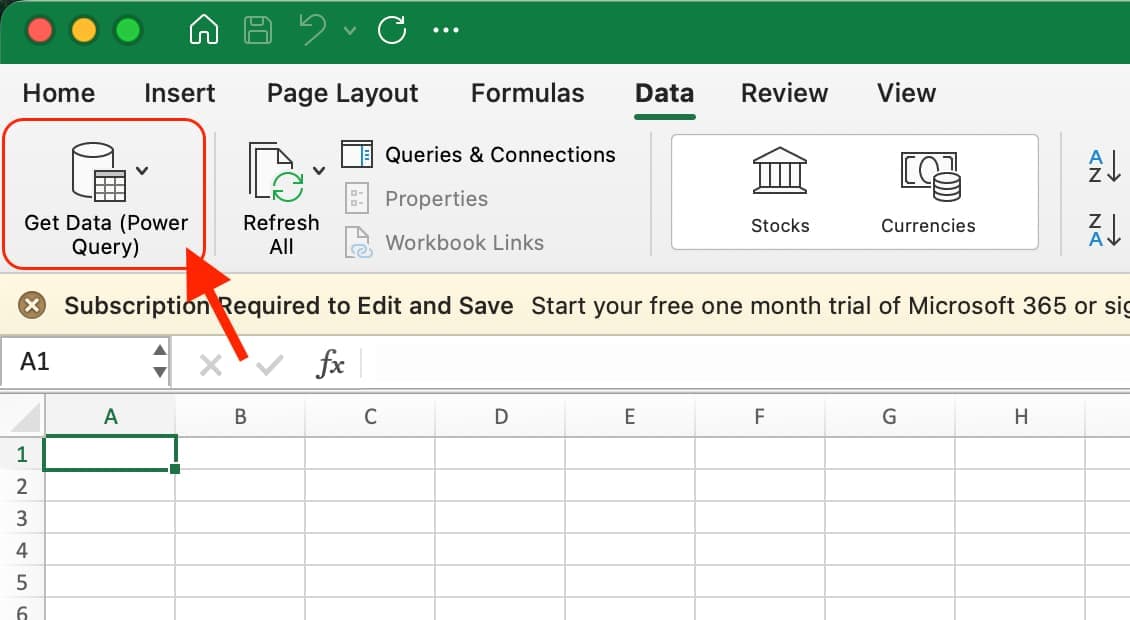
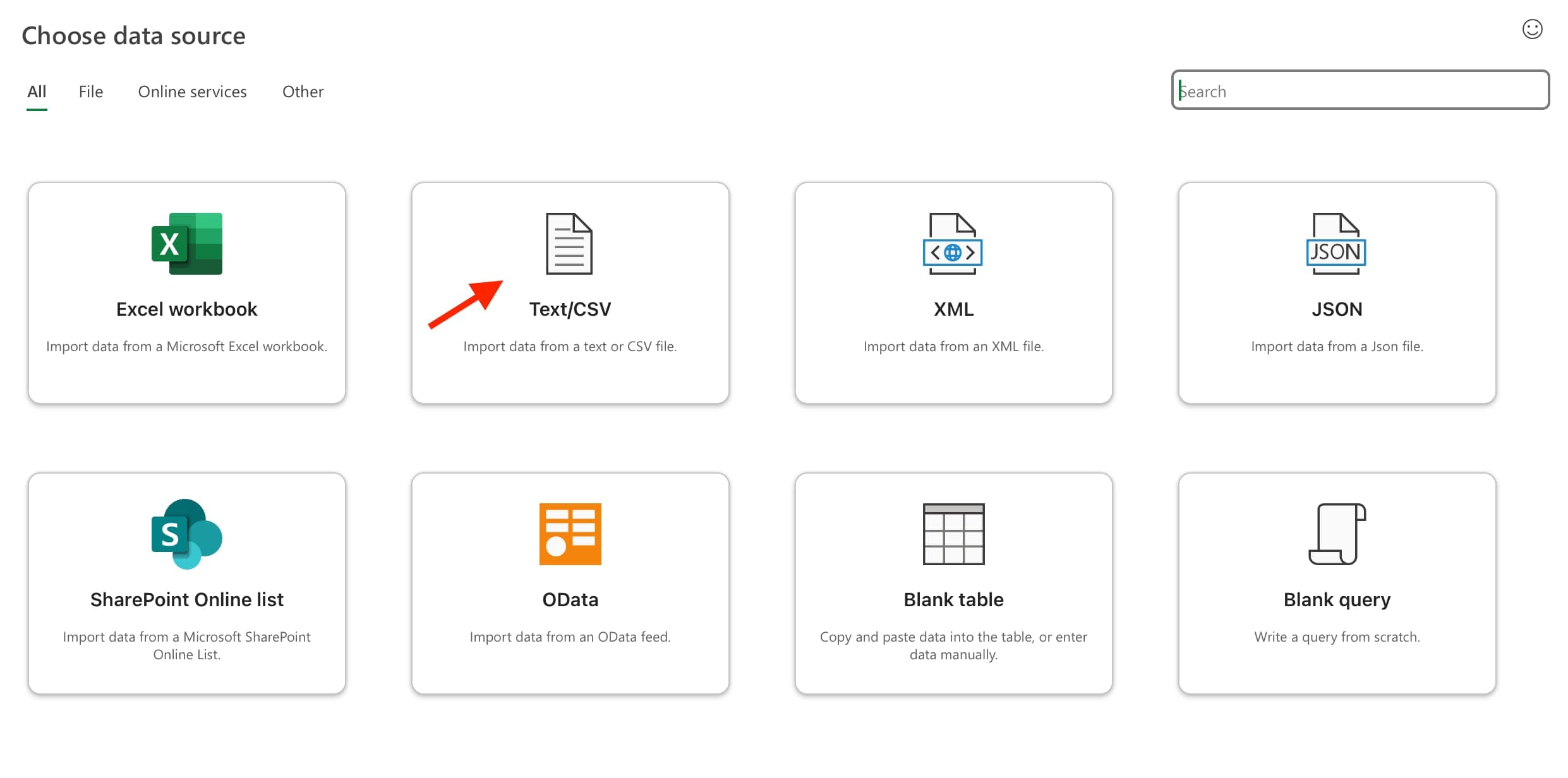
- Go to Data → Get Data → From File → From Text/CSV. (In some versions it's just Data → From Text/CSV.)
- Paste your link into the File name box and click Open. Excel reads the link like a file.
- In the preview window, click Load. Excel drops the pains into a table on a new tab.
The view=summary part keeps it to one row per theme, so the table stays small
and quick to load.
Get the latest — hit Refresh
The table is connected to your link, but Excel does not update it on its own. When you want the newest pains, go to Data → Refresh All — it sits right next to Get Data on the Data tab (shown above). Excel re-reads the link and replaces the table with the latest list — no duplicate rows.
FAQ
Does the Excel table update by itself?
No. Excel holds the last pull and only fetches new pains when you hit Refresh or Refresh All. You can set it to refresh when you open the file, but there's no always-on background update like Google Sheets has.
Is the key inside the connection safe?
The key only reaches the one project you tied it to — never the rest of your account. It does travel inside the workbook, so anyone you share the file with can read it. Keep the key scoped to a single project, and if it leaks, cancel it in Settings → API keys and swap in a new one.
Why is one commenter's pain showing as a whole theme?
Each row is one theme, and
post_counttells you how many Reddit posts back it. A count of 1 means a single commenter raised it; sort bypost_countto see the themes the most people share.